Zapier is easy to use—and sometimes ease of use gets conflated with simplicity. But at Zapier, we know that being easy to use and being enterprise-ready aren’t mutually exclusive. Any enterprise tool should prioritize ease of use. If you want your entire organization to adopt software, there can’t be barriers to entry.
Zapier helps your entire company operate more efficiently and achieve mission-critical goals at scale. And it goes beyond workflows: Zapier is an AI orchestration platform where you can build AI-powered workflows and agentic solutions across your entire tech stack.
Every connection runs through a single governed layer with enterprise-grade security, so you stay in control of what your automations and agents can access. And with 9,000+ app integrations, it all works with the tools your teams already run on.
Table of contents:
Why Zapier is a fit for enterprise automation
Zapier automates a lot more than one-off tasks. It helps you build whole systems that keep your business running smarter. Think of it as your AI-powered operations layer: the behind-the-scenes engine that keeps work moving across every team and tool.

Here’s what that looks like in practice:
-
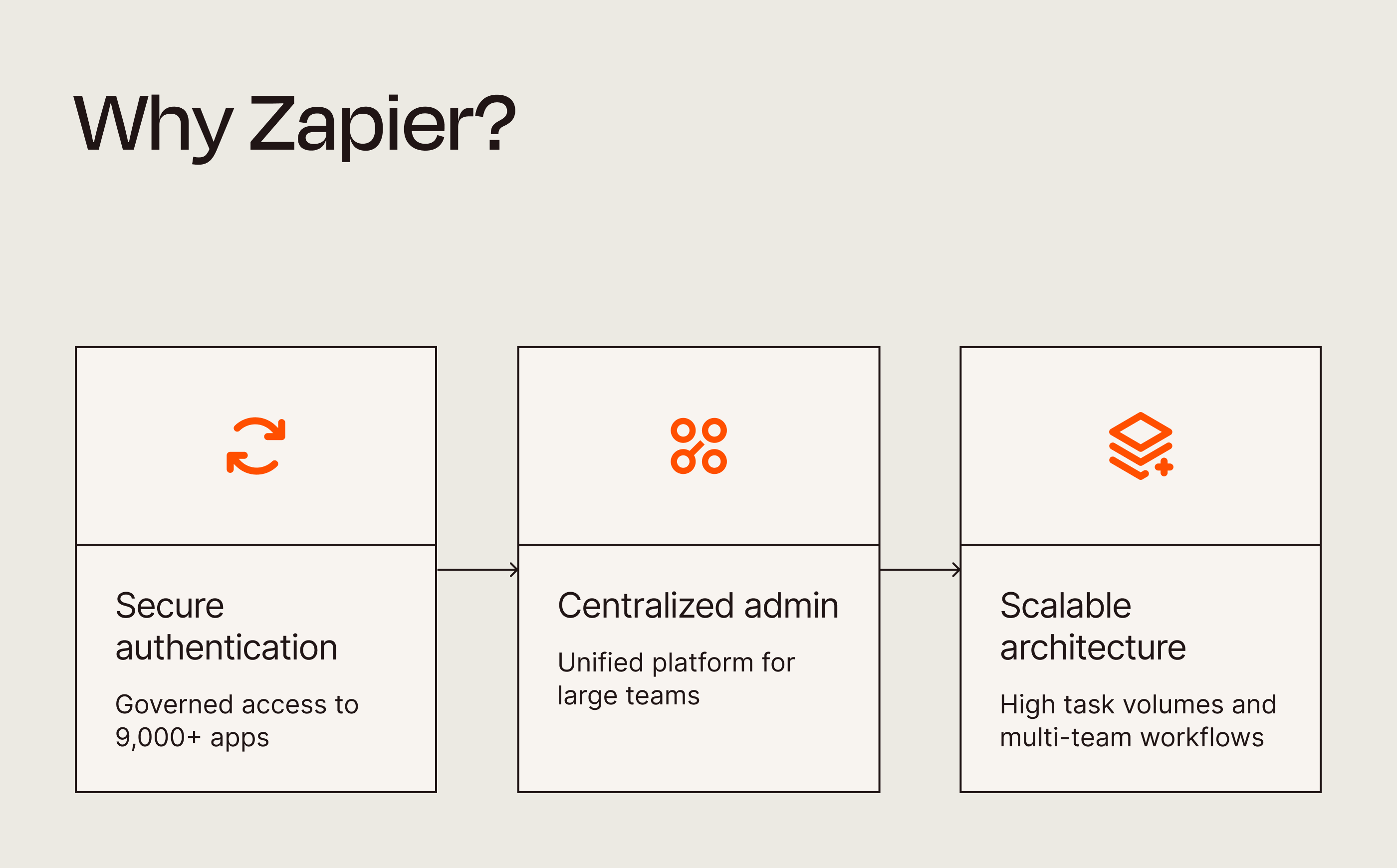
Proven governance at enterprise scale. Zapier has spent 15+ years managing secure connections between business apps. Every connection runs through OAuth, so credentials live in Zapier’s managed layer, and admins can grant or revoke access from one place. Zapier is also SOC 2 Type II certified.
-
Enterprise-grade connectivity. Zapier connects with 9,000+ apps. That means your marketing, sales, HR, and finance teams can connect the tools they already use by themselves—within the guardrails IT sets—instead of waiting in an integration queue.
-
Unified platform for large teams. Zapier gives admins the kind of control they actually need: centralized settings, automatic domain capture for new users, and user provisioning that works with your existing identity systems. You can bring order to the chaos without babysitting every account.
-
Accessible to every team. On Zapier, building doesn’t require an engineering background. An ops manager can build workflows in the no-code editor—or describe the problem in plain language and let the built-in AI assistant configure the workflow for them—while developers can drop in code steps and API access when a workflow calls for it. Everyone builds on the same platform, so whatever your teams create stays visible and governed, no matter who made it.
-
Scalable architecture. Zapier supports high task volumes and multi-team workflows, handling millions of runs a month while keeping execution times fast for standard automations.
Note: Zapier’s SOC 2 Type II certification coverage excludes Zapier SDK, which is currently in open beta. That applies everywhere SOC 2 is mentioned in this article.
Zapier also layers AI throughout the platform, so you can make smarter decisions, transform data on the fly, and build workflows that adapt to whatever your business throws at them.
Here’s a quick look at all the tools in Zapier’s platform:
-
AI by Zapier. This feature lets you add agentic tooling and AI-powered steps to any part of your workflows: summarize an email before it lands in Slack, or clean up messy data before it hits your CRM. Instead of just moving data around, Zapier makes the data smarter along the way.
-
Zapier MCP. Connect an AI assistant like ChatGPT or Claude to Zapier, and it can take action across your apps right from the chat window. For example, your agent harness can answer a support question with information from your knowledge base or update a CRM record on request—no tab switching required. Every action runs through Zapier’s governed connection layer, so IT stays in control of which apps the AI can touch.
-
Zapier SDK. For teams building agents in code environments like Cursor or Claude Code, the SDK (currently in open beta) gives agents access to the same 9,000+ app integrations with OAuth and scoped permissions handled by Zapier—so credentials never end up in your codebase or the model’s context.
-
Zapier Tables. Tables acts as the central nervous system for your workflows, storing and managing the data behind your automations so you’re not juggling half a dozen spreadsheets just to keep things in sync.
-
Zapier Forms. Instead of collecting responses in one tool and then acting on them in another, the form itself starts the work—creating a ticket in your project tool, say, or adding a new lead to your CRM.
-
Zapier Canvas. With Canvas, you can map out multi-step processes visually so everyone can see how data flows and where decisions happen. It’s especially handy when you need multiple teams to align on what a workflow should actually do.
Unlike simple task automation, enterprise automation needs governance and auditability baked in, plus integration capabilities that can handle complex, mission-critical workflows. That’s the job of Zapier’s single governed layer—and it’s where the Enterprise plan comes in.
Zapier’s Enterprise plan delivers enterprise-grade capabilities and features. Here are just a few:
-
Enterprise-grade security with SOC 2 Type II, SOC 3, GDPR, and CCPA compliance
-
SAML-based single sign-on (SSO), SCIM provisioning, and domain capture for seamless identity management
-
Role-based permissions that control access by team, app, and action, reducing the risk of shadow AI
-
A real-time analytics dashboard with the monitoring and reporting capabilities enterprises need for compliance and performance tracking
-
Comprehensive version control, audit logs, data retention, and security controls, so you can confidently let your entire team build automations
Because of all this, IT leaders trust Zapier to eliminate operational bottlenecks while maintaining enterprise trust.
Is Zapier suitable for complex workflows?

Yes—Zapier is strongest exactly where workflows get complicated. These are the processes that often span multiple departments, involve branching logic, require approvals, and demand rock-solid error handling. Zapier is built for exactly that kind of orchestration, with:
-
Multi-step Zap workflows. Design workflows that run up to 100 steps in sequence—or in parallel—without missing a beat. It’s perfect for processes that span entire departments.
-
Paths. Add branching logic to make workflows adapt to different scenarios. This is great for approvals, lead routing, or any process where the next step depends on conditions.
-
Filters. Stop automations from running unless certain conditions are met. Only pass data forward when it meets the criteria you care about—like triggering follow-up emails only for leads above a certain score.
-
Sub-Zap workflows. These are reusable mini-workflows you can plug into any Zap—and when you change them once, they change everywhere.
-
Built-in code steps (JavaScript and Python). When standard actions don’t cut it, write custom logic or transform data in ways unique to your business. It’s like having a dev toolkit inside your workflow.
-
Error handling and validation. Add layers of resilience when the unexpected happens: Zapier can automatically retry a step that hits an error or route the run down a custom error path, and alert your team if something needs a closer look.
-
Human-in-the-loop approvals. Add a human checkpoint before high-stakes steps. Once that checkpoint’s approved, the automation picks back up where it left off. This way, nothing risky goes out the door on autopilot, and nobody has to babysit the whole process to keep it moving.
Where Zapier really shines, though, is in combining automation with AI. Instead of simply moving data from one place to another, you can use AI to clean, enrich, or even make decisions along the way.
Imagine an approval workflow where AI summarizes context for a manager before they hit “approve,” or a cross-department process where AI classifies customer feedback and routes it to the right team automatically. Because the AI runs inside defined workflow steps, you get the intelligence without giving up control over how the process runs.
Running workflows this way keeps your AI bill in check, too. Deterministic steps run on fixed logic, so you’re not paying a model to re-make the same decision on every run. AI tokens get spent only on the steps that need real interpretation. That’s how Zapier helps you get the most out of your AI spend—especially at enterprise volume.
And these aren’t just hypotheticals. Enterprise companies are already using Zapier to break down silos and orchestrate AI-powered workflows across systems and departments.
Is Zapier powerful enough for advanced company automation?
In a word: yes. Zapier handles the scale that company-wide automation demands: 9,000+ app integrations, Zap workflows up to 100 steps with branching and error handling, and the governance to roll it all out safely.
Every automation runs through a single governed layer, so IT can set granular permissions by team, app, and action, monitor usage in real time, and audit activity across the entire org. Teams get the freedom to move fast, and the company keeps control over what their automations can touch.
How does Zapier support AI-driven automation at scale?
AI shows up in a few ways in Zapier: you can use AI to build your workflows, use AI inside your workflows to make them smarter, and connect the AI tools your teams already use, so they can take action through Zapier.
With Zapier Copilot—its built-in AI assistant—you describe what you want in plain language, and it generates the automation for you. Anyone in your org can build sophisticated workflows without needing to know the technical details.

Then there’s AI inside your workflows. AI by Zapier (and integrations with tools like ChatGPT and Claude) lets you add intelligence to any step of a process. That could mean automatically summarizing customer emails before sending them to support, generating draft responses for sales reps in your CRM, or classifying support tickets so they’re instantly routed to the right team. Every step in a workflow can apply judgment as data moves through it.

For teams already working inside an AI assistant, you can bring Zapier to them. Install Zapier MCP in your agent harness so it can take action across your apps right from the chat window. The Zapier SDK brings that same app access to code environments like Cursor and Claude Code, and the Zapier CLI does the same for the terminal. Whichever environment your builders work in, Zapier manages the credentials—your AI never handles raw API keys—so AI automation can spread across the org without access sprawling with it.
Does Zapier work for companies with hundreds of users?
Yes—Zapier is built to be rolled out and managed at that scale. Admins can set roles and access rights in bulk, so you don’t have to update settings one person at a time (because no one has time for that). And because you’ll want to know whether all this automation is actually paying off, Zapier gives you detailed usage reports. You can see who’s building what, how automations are performing, and where adoption is taking off (or stalling).
Zapier’s high-volume capability also means it can process millions of tasks every month without slowing down, so performance stays steady whether your team is running a handful, or thousands, of automations. Learn how large organizations like Miro, Otter.ai, and Vendasta use Zapier.
Can Zapier support multi-team workflows?
Yes. Multi-team workflows that span departments like sales, marketing, customer support, and IT require coordinated processes that maintain data consistency and proper approvals across organizational boundaries. These workflows often involve complex handoffs, conditional logic, and shared data sources.
Zapier makes multi-team collaboration possible through:
-
Shared folders with granular permissions. Teams get access to the automations they need while maintaining security boundaries.
-
Approval flows for workflow changes. Route changes to shared Zaps for sign-off before they go live, so no team can rewire a process another team relies on without the right people knowing.
-
Human-in-the-loop checkpoints. Cross-team processes can automatically pause for where human judgment matters most. Once approved, the workflow automatically picks back up.
-
Version comparison and rollback. If an update alters your workflow, you can compare versions and roll back to a previous state—a safety net for Zaps that multiple teams rely on.
Zapier’s security and compliance foundations
Security is non-negotiable for Zapier, and we maintain multiple industry certifications that meet enterprise compliance requirements. These give enterprise security teams third-party validation of Zapier’s security controls and data protection practices.
|
Standard |
What it means |
|---|---|
|
SOC 2 Type II |
Annual third-party audit of security controls |
|
SOC 3 |
Publicly available security report |
|
GDPR |
EU data protection compliance |
|
CCPA |
California privacy compliance |
How does Zapier protect user data?
Zapier protects data at every layer: encryption at the infrastructure level, independent testing to catch weaknesses early, and controls that let you decide how your data is stored and used. And for AI-powered automation specifically, admins decide which AI apps are allowed to run in their account, with activity logged so you can review what your automations touched.
Here’s how that breaks down across three main categories.
Infrastructure security
-
AWS cloud security. Zapier runs on Amazon Web Services, the same enterprise-grade cloud infrastructure trusted by some of the world’s largest companies. That means your automations benefit from the same level of physical and network security as industry leaders.
-
Encryption in transit. All data moving into or out of Zapier is encrypted using TLS protocols, so sensitive information stays protected as it flows across your apps.
-
Encryption at rest (AES-256). Data stored on Zapier’s servers is protected with AES-256 encryption—the same standard relied on by banks and governments—so your information stays secure even when it’s not actively in use.
-
Security logging and monitoring. Real-time threat detection and alerting allow for rapid response to anomalies, minimizing risk before problems escalate.
Independent testing
-
Bug bounty program. Security researchers from around the globe help Zapier stay ahead of potential threats. Ethical hackers continuously test for vulnerabilities, so weaknesses are identified and fixed before they can become issues.
-
Annual third-party penetration tests. Independent security experts perform yearly penetration tests to stress-test Zapier’s defenses and make sure our security controls hold up under real-world attack scenarios.
Customer controls
-
Custom data retention for Zap workflows. Enterprise customers can define exactly how long Zap data is stored. You’re in control, whether you need a short retention window for sensitive information or a longer period for auditing.
-
AI app governance. Admins control which AI-powered third-party apps are allowed inside their Zapier account. You can turn them off entirely or limit usage to a vetted list.
-
Model training opt-out. Enterprise customers are automatically opted out of having their data used to train models, and all customers can opt out easily. Your data stays yours—no surprises.
For more information, take a look at Zapier’s security and compliance page.
Can Zapier handle sensitive data securely?
Short answer: yes.
Sensitive data can mean a lot of things, from personally identifiable information (PII) to your company’s secret sauce. Zapier provides strong protections for most of these. One important note: Zapier is not HIPAA-compliant, so we don’t recommend using it for workflows that handle protected health information (PHI).
For almost everything else, Zapier’s got you covered with encryption, detailed permissions, and full audit logs so you always know who’s doing what.
Zapier’s reliability for mission-critical workflows
If your enterprise business is automating processes that directly affect revenue, customer experience, or compliance, “pretty reliable” isn’t good enough. You need rock-solid uptime.
Zapier gets that, which is why the platform is built with redundancy, fault tolerance, and automated high availability. (We track everything on our status page, complete with incident reports. No smoke and mirrors here.)
Is Zapier reliable for enterprise workflows?
Yes—Zapier’s architecture is built with high availability and fault tolerance baked in. Here are a few of the reliability features doing that work:
-
Autoreplay. If a Zap run fails—say, an app times out or briefly errors—Zapier can automatically retry it until it goes through. You can also replay any run manually from your Zap history, so a hiccup mid-run doesn’t mean lost work.
-
Flood protection. When an app suddenly sends far more records than usual due to a bulk import or a runaway webhook, for example, Zapier holds the overflow instead of dropping it. You review what’s held, replay what you want, and set your own threshold per Zap.
-
Outage notifications. If one of your connected apps has downtime, Zapier flags it right in the affected step, and every run is logged in your Zap history. This way, once the app recovers, you can replay what was missed instead of reconstructing it.
-
API change management. When apps update their APIs, Zapier integrations are maintained behind the scenes, so your workflows keep working without anyone on your team rebuilding them.
-
Horizontal scalability. Zapier handles sudden spikes in workflow volume, so busy periods don’t turn into backlogs.
How does Zapier ensure high uptime?
Zapier’s real-time health checks constantly monitor performance, and automated recovery procedures mean many issues are resolved before customers ever feel them.
Enterprise customers also get dedicated support channels with escalation paths, so incidents get in front of the right people fast. And throughout it all, Zapier stays transparent: the status page shows live platform health, and incident post-mortems explain what happened and what changed.
Zapier’s governance, access control, and multi-team collaboration
Running automation at scale takes more than well-built workflows—it takes governance that keeps everything secure and compliant without slowing teams down. This is where Zapier’s 15+ years of managing OAuth connections across thousands of apps pays off: credentials are held by Zapier, never pasted into scripts or exposed to an AI model. That connection layer is the foundation. Zapier’s admin console is the control room on top of it, giving admins the visibility and control they need while teams keep the flexibility to build.
Here’s a quick rundown of Zapier’s governance features:
-
SSO (SAML). Log in with your existing identity provider—no extra passwords to remember.
-
SCIM. Automate user provisioning so you don’t spend half your day adding (and removing) accounts.
-
2FA. Add an essential second layer of protection to prevent unauthorized access.
-
Application controls. Decide which apps and actions can be used in your account, so security policies are enforced by the platform instead of a policy doc.
-
Domain capture. Automatically bring every Zapier account created with your company email domain under IT’s management, so nothing runs untracked.
-
Shared app connections. Teams build on one centrally managed connection per app instead of everyone maintaining their own credentials. It’s the same OAuth-managed connection layer Zapier has run for 15+ years. Access is granted in one place and revoked in one place.
-
IP allowlist. Restrict access to trusted networks only.
-
Audit log. Track user actions and account changes for compliance and peace of mind.
-
Analytics and Zap runs API. Monitor usage, performance, and adoption across the org—with data you can pull into your own reporting tools.
What access controls does Zapier offer for teams?
Zapier uses role-based access control at two levels:
-
Account roles define what someone can do across the org. The account owner and super admins hold full administrative control, admins handle day-to-day user and app management, and members build automations without any administrative privileges.
-
Asset roles control access to individual Zap workflows, Tables, and Forms. Each asset has an owner, plus editors who can build and make changes, and viewers who can monitor but can’t touch anything.
On top of that, admins can set app and action restrictions—so if you want certain teams using certain tools or actions, you can lock that down. Learn more about user roles and permissions on Zapier accounts.
Does Zapier support SSO and SCIM provisioning?
Yes—Zapier integrates with SAML-based single sign-on (SSO) providers like Okta, Microsoft Entra ID, and OneLogin. And with SCIM (System for Cross-domain Identity Management) provisioning, user management basically runs itself: accounts are automatically created, updated, or deactivated based on your identity provider.
For best results, we recommend mapping Zapier roles to your identity provider groups. That way, if someone switches departments (or leaves), their Zapier access updates automatically—no manual cleanup required.
How can admins monitor and audit automation activity?

Zapier makes it easy to keep tabs on what’s happening across your org. The Analytics dashboard shows real-time data on automation runs, error rates, and user activity—so you can spot trends and fix issues before they snowball.
And if you need a paper trail for compliance, Zapier’s exportable audit logs record every user’s actions and automation changes. You can also set up proactive alerts for when something goes wrong—whether it’s a failed automation or someone trying to use an app they shouldn’t.
Zapier Enterprise FAQ
Does Zapier offer features for large teams?
Yes, Zapier Enterprise gives admins centralized controls, SSO, SCIM provisioning, and shared folders so collaboration actually works at scale. You also get role-based permissions, bulk user management, and analytics dashboards to keep an eye on how your org is using automation.
Does Zapier support enterprise security and scalability?
Yes. Zapier is SOC 2 Type II certified, SOC 3 certified, and GDPR-compliant. The platform processes millions of task runs each month with AES-256 encryption in real-time. Translation: it’s both secure and built to scale.
Is Zapier safe to use with internal company tools?
Yes. Granular permissions, IP allowlisting, and encryption in transit make it safe to connect your internal systems—with role-based access control and audit logging adding more layers of protection. One caveat: Zapier isn’t HIPAA-compliant, so PHI needs to stay out of your automations.
Is Zapier secure enough for business-critical automations?
Yes. Zapier uses enterprise-grade encryption, threat detection, and detailed audit logs to meet the security standards most businesses require. SOC 2 Type II certification and GDPR compliance add external validation, and Enterprise customers get dedicated support with escalation paths for fast incident response.
Does Zapier comply with GDPR?
Yes. Zapier offers a Data Processing Addendum (DPA) and supports data subject requests like right-to-be-forgotten, in line with GDPR requirements.
What reliability does Zapier provide?
Zapier is built to keep workflows running: Autoreplay retries failed runs automatically, flood protection holds overflow tasks during traffic spikes instead of dropping them, and Zapier’s team manages API changes behind the scenes so integrations don’t break as your tech stack evolves. Enterprise customers also get dedicated support for anything that needs a human.
Does Zapier offer SOC 2 and SOC 3 certifications?
Yes. Zapier is SOC 2 Type II certified, which means an independent auditor has validated its security controls over a 12-month period. You can find the SOC 2 report and other security documentation on Zapier’s trust center at trust.zapier.com. The SOC 3 report is a public summary you can share with stakeholders without an NDA. Both give vendor-review teams the documentation they need.
Related reading:
This article was originally published in September 2025. The most recent update, with contributions from Jessica Lau, was in July 2026.